

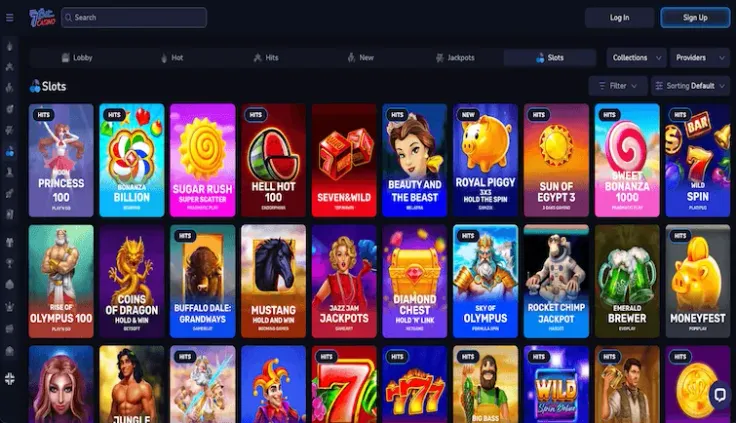
The 7bit Casino login takes place only on the 7bit Casino website, on a computer or a phone, with the email address or username and the password you chose when you registered. The steps above show the order; this guide explains what happens around them and what to do when signing in does not work.
Fair Lens is an independent review site and has no login form of its own, so you never enter your details on this page. Before you start, have your account email or username and your password ready, and make sure you can still open the email inbox linked to the account. Password resets generally rely on that address, so check it before you need it.
If you have no account yet, the guide on how to sign up at 7bit Casino comes first. 7bit Casino has no iPhone or Android app, so on a phone you log in through the browser; the 7bit Casino mobile version explains what to expect on a small screen.
What stands behind the 7bit Casino login
Logging in is the simple part: the website checks the email or username and the password against your account. What sits behind it matters more, because the account holds your balance, your payment details and your identity documents. Treat the login details like the key to a bank account.
Identity checks
7bit Casino requires identity verification (often called KYC, short for "know your customer"). Online casino accounts are for adults aged 18 and over only, and the checks confirm that the person playing is the person named on the account. The accepted documents are: Passport, National ID card, Driving licence, Proof of address (dated within 90 days) and Proof of payment.
In practice the list covers:
- Who you are: a passport, a national ID card or a driving licence with your photo, full name and date of birth.
- Your address: a recent proof of address showing your name and the address on your account.
- How you pay: a proof of payment that links you to the payment method you use.
The name, date of birth and address you enter when you register should match these documents exactly. A shortened first name, an old address or a typing error in the date of birth is a common reason for a second request, so it is worth checking your profile details before you upload anything.
What can take time
The most common delays come from the files themselves. A photo that is blurred, cropped at the corners, taken in poor light or showing an expired document is likely to be refused. Scan or photograph the whole page, flat and in colour, and check that every corner and number is readable.
For proof of address, the date matters as much as the content: it must fall within the period given in the list above, so pick the most recent document you have. Our guide to verifying your 7bit Casino account goes through each document type in more detail.
Desktop and mobile
7bit Casino works on desktop and mobile browsers, and there is no separate app to download. On either device you use the same login details. If you switch between a computer and a phone, save the 7bit Casino address as a bookmark on both, so you always reach the real website rather than a search result or a link from a message.
18+ · T&Cs apply
Common 7bit Casino login problems and what to do
Most failed logins have a simple cause. Work through the likely ones below before you contact support.
Forgotten password. Use the password reset option on the login screen, as the steps above show. Choose a new password you have not used on any other website. If the reset does not work, make sure you entered the email address you registered with, then try again.
Wrong email or username. If you have more than one email address, try each one; many people register with an address they rarely use. Check for typing errors, a stray space at the end, and Caps Lock, since passwords are case-sensitive.
Saved password out of date. Browsers and password managers sometimes fill in an old password after you have changed it. Clear the field and type the password by hand, then update the saved entry once you are in.
The page does not load or keeps refreshing. Clear the browser cache and cookies for the site, update the browser, or try a different browser. On a phone, switch between mobile data and Wi-Fi to rule out a connection problem. Private or incognito windows can also help when an old session is stuck.
A document is rejected. Upload a new, clear copy of the whole document, check that it is still valid and that the name matches your account exactly. For proof of address, use a more recent statement.
Problems after you log in. If a payment does not go through, the guide to making a deposit covers the usual causes. If a cash-out is taking longer than you expected, see withdrawals at 7bit Casino.
When to contact support
If none of the above works, or you think someone else has used your account, contact 7bit Casino support straight away. Support is available 24/7 through live chat and email; there is no phone line. Live chat suits a simple question, while email lets you attach a screenshot of the error message. Give your registered email or username, describe what happens when you try to log in, and never share your password, not even with support.
Keeping your 7bit Casino account safe and under control

Enter your password only on the 7bit Casino website, and reach it by typing the address yourself or through your own bookmark. Do not log in through links in messages or adverts, and close any page that asks for your 7bit Casino password but is not the casino's own website. This review site will never ask for it.
Use a long password that is unique to this account, and store it in a password manager rather than in a note on your phone. Change it at once if you suspect anyone else knows it.
On a shared or public computer, log out when you finish and do not let the browser save your details. On your own phone, a screen lock adds a second layer of protection if the device is lost.
Keep your identity and address documents ready in a safe folder on your device, so you can send clear copies without rushing if 7bit Casino asks for them.
Control matters as much as security. If the account offers deposit limits, set one the first time you log in, at an amount you can afford to lose, and adjust it only after a pause to think. Our safer gambling page explains the other tools that can help.